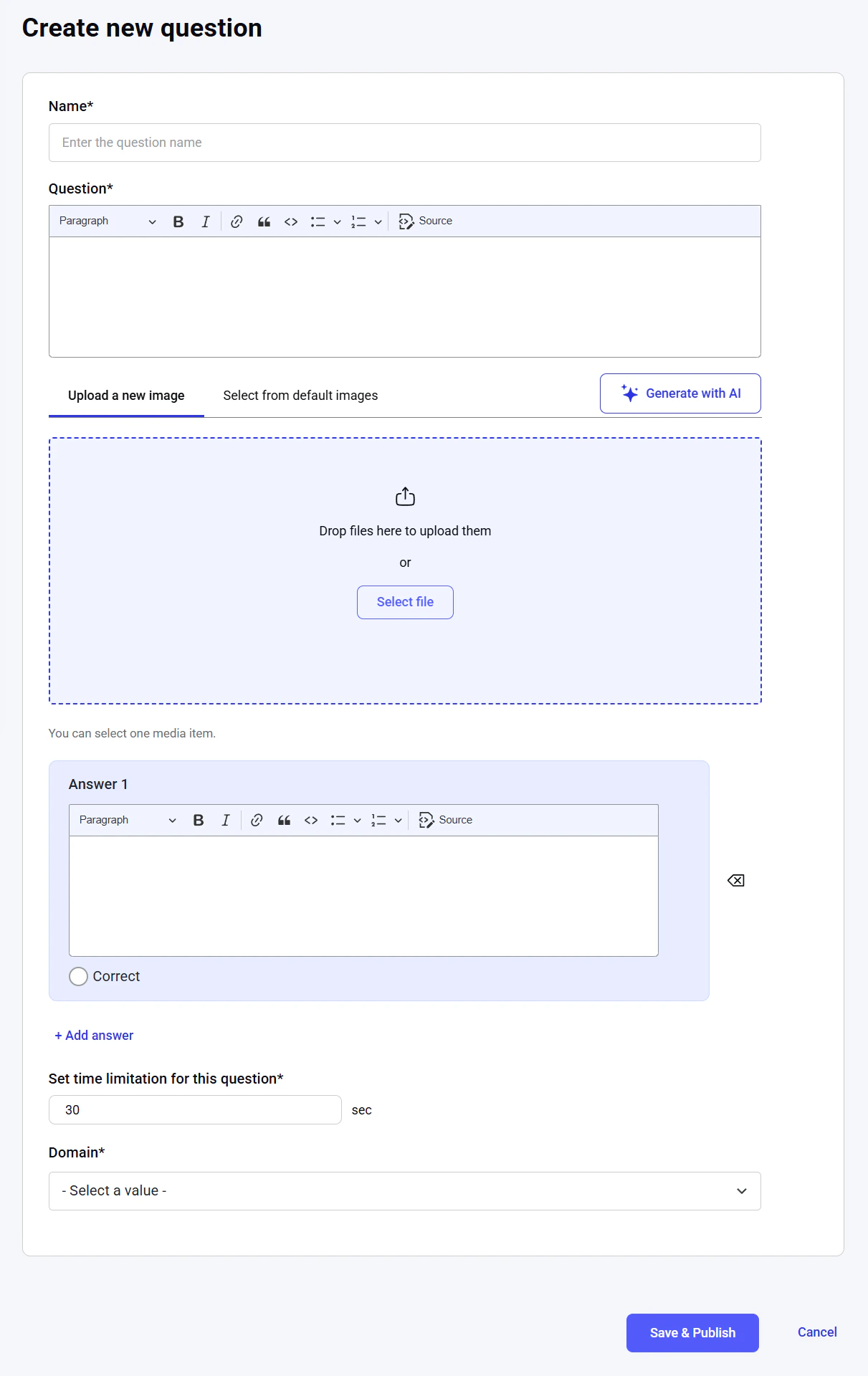
NOTE: Only users with the administrator and content editor roles can access questions.
Dashboard
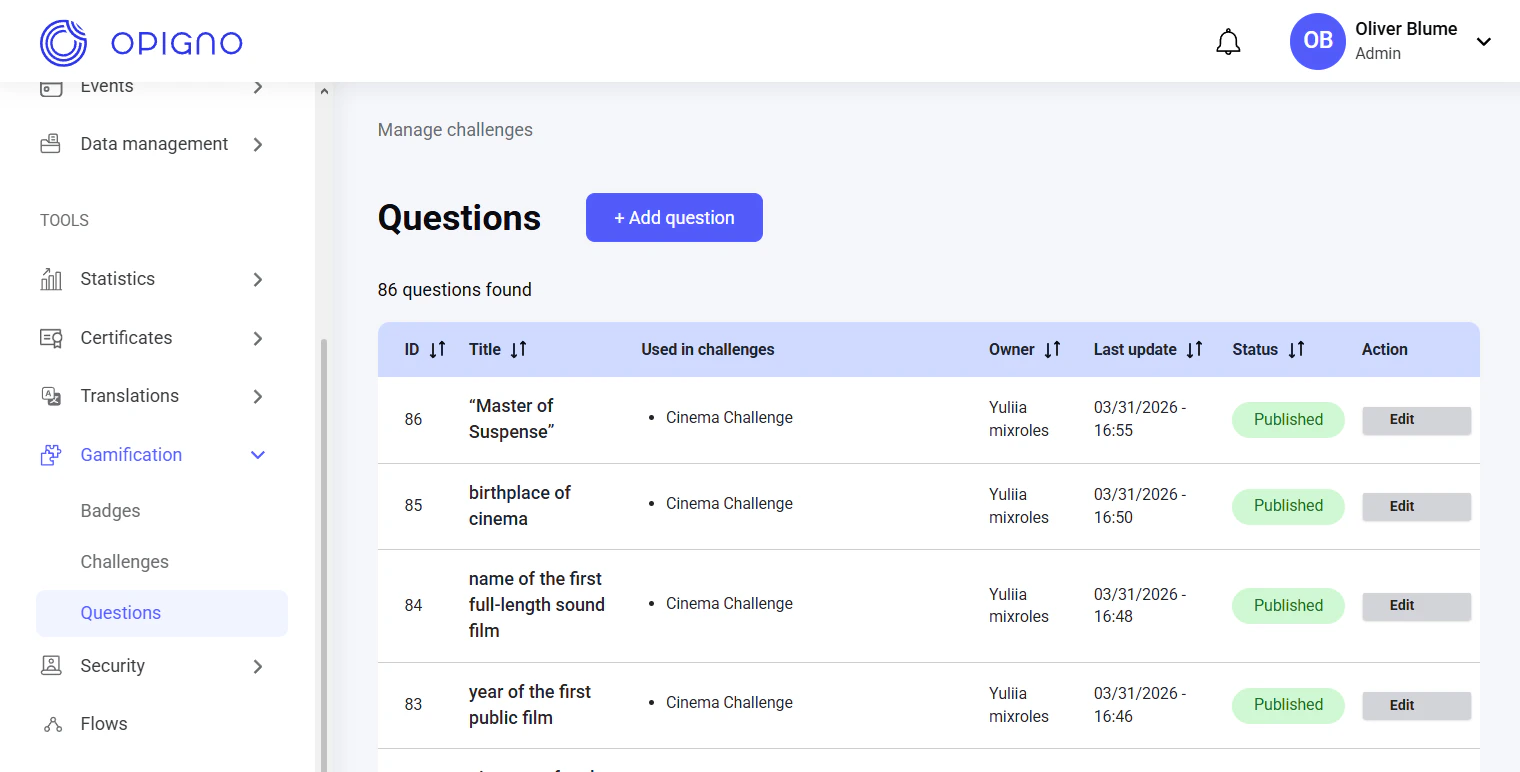
- Question ID
- Title
- Used in challenges: The list of associated challenges
- Owner (creator)
- Last update date
- Status: Published/Unpublished
- Action: Edit and Publish/Unpublish
NOTE: You cannot unpublish a question that is currently used in a challenge or battle.You cannot edit a question once a challenge or battle using it has started.
Creating a new question
Click the Add question button to open the question creation interface. Here, you can add the name (title) and the question text displayed to learners, upload or generate an image to display above the question text, enter answer choices (only one can be correct), and set the time limit for answering the question and the associated knowledge domain.