

NOTE: Battles are built on questions from the shared question bank. If you haven’t set up questions yet, see Questions before proceeding.
NOTE: A domain must have at least 5 questions to be selectable for a battle.Learners can select domains available only at their hierarchy or levels below.
- Battle statistics: View the leaderboard of users who have taken battles
- Battle settings: Configure scoring rules and display preferences
Battle statistics
NOTE: Only users with the administrator and content editor roles can access battle statistics.
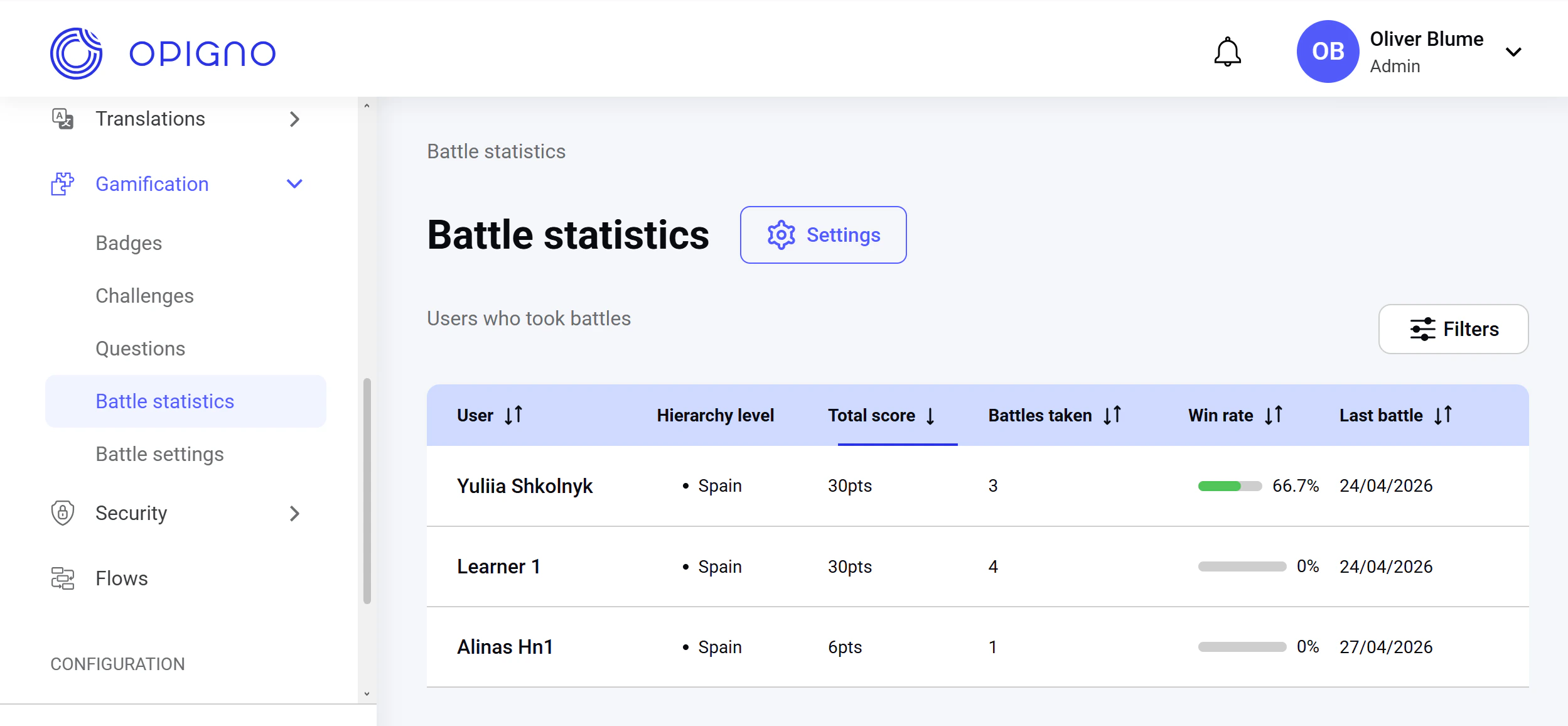
- User
- Hierarchy level
- Total score
- Number of battles taken
- Win rate (%)
- Date of the most recent battle
NOTE: Content editors can see learners only at their hierarchy or levels below.
Battle settings
You can access battle settings either via the Settings button in the Battle statistics dashboard or via the Battle settings on the left-hand menu.NOTE: Only users with the administrator role can manage battle settings.
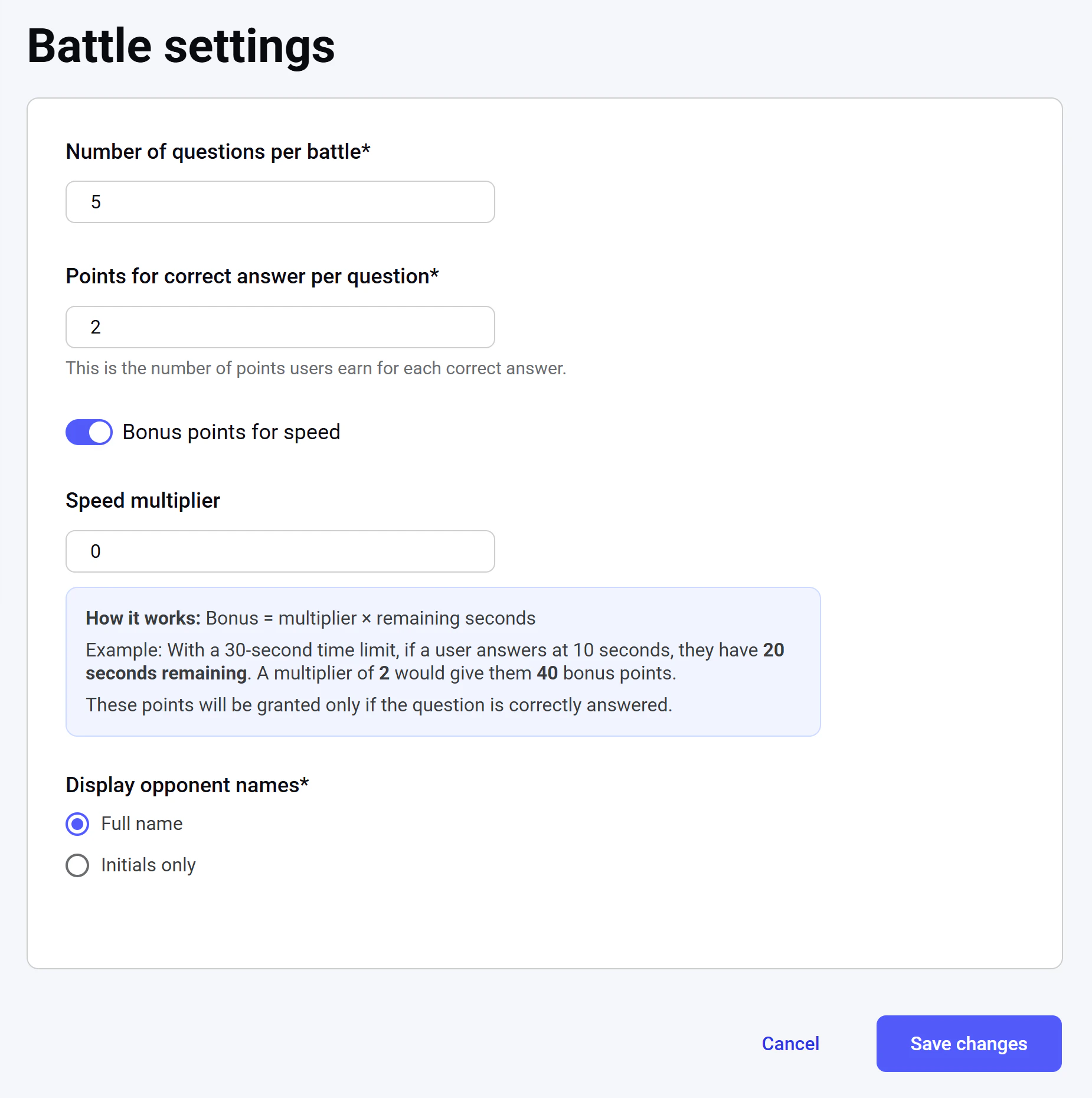
- Number of questions per battle. It’s a required field.
- Points for a correct answer: The base number of points awarded for each correctly answered question. It’s a required field.
- Bonus points for speed: If enabled, learners earn extra points based on the number of seconds remaining from the question’s time limit. If the multiplier is set to 0, the time-based bonus is disabled.
NOTE: The time limit for each question is set individually when creating or editing a question. To learn more about creating new questions, see Creating a new question. Bonus points are awarded only for correct answers.
- Display opponent names: Choose whether opponents are shown by their full names or initials only. This setting applies everywhere opponents are mentioned: in battle listings, result pages, opponent selection, and notifications. User pictures are always displayed regardless of this setting. It’s a required field.