

Flows allow administrators to automate platform processes based on defined conditions.Documentation Index
Fetch the complete documentation index at: https://docs.opigno.com/llms.txt
Use this file to discover all available pages before exploring further.
NOTE: Flow management is available only to administrators.Flows are available only on select subscription plans.
The dashboard
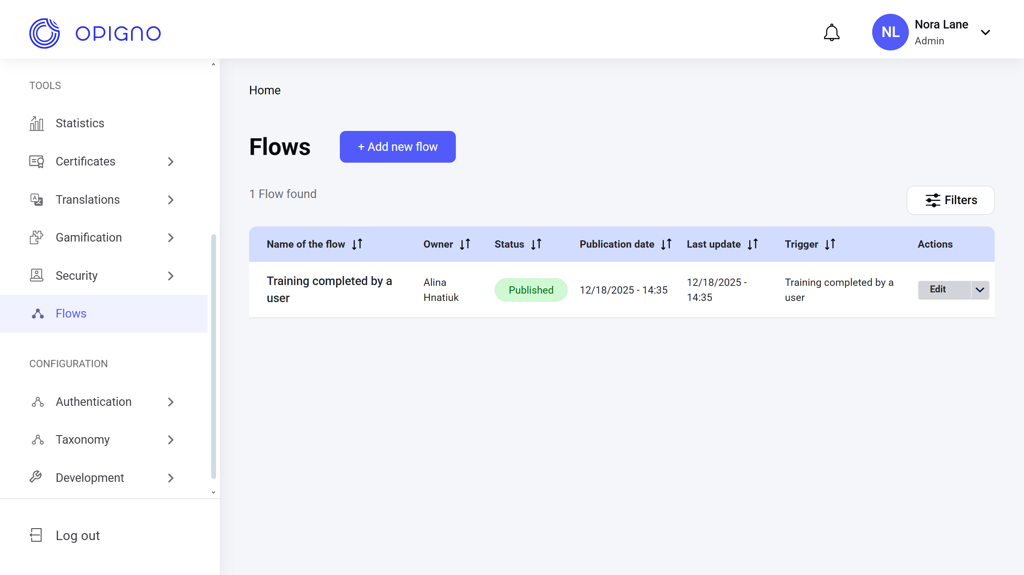
- Flow name
- Owner: The user who created the flow.
- Status: Draft, Published, or Unpublished.
- Publication date
- Last update
- Trigger: The event that starts the flow.
- Actions: Edit, Enable/Disable.
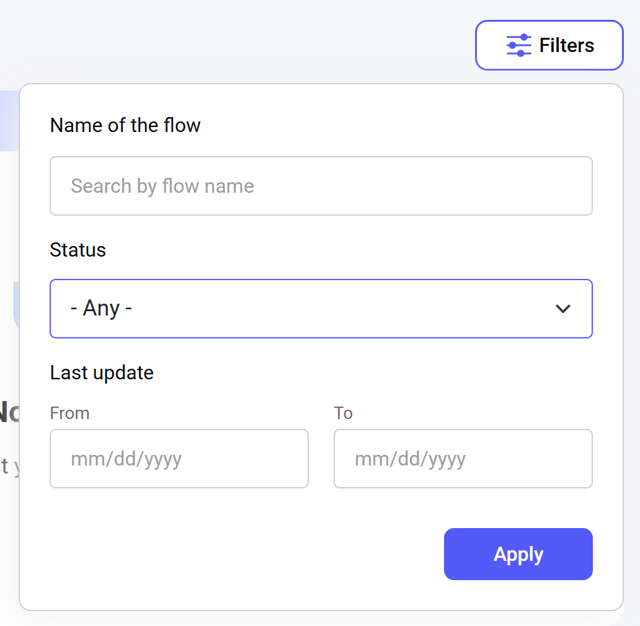
Creating a new flow
Click the Add new flow button above the dashboard to open the creation interface. Here, you can set the flow name, choose a trigger, define an AND/OR condition formula (including a custom formula), and configure automated actions.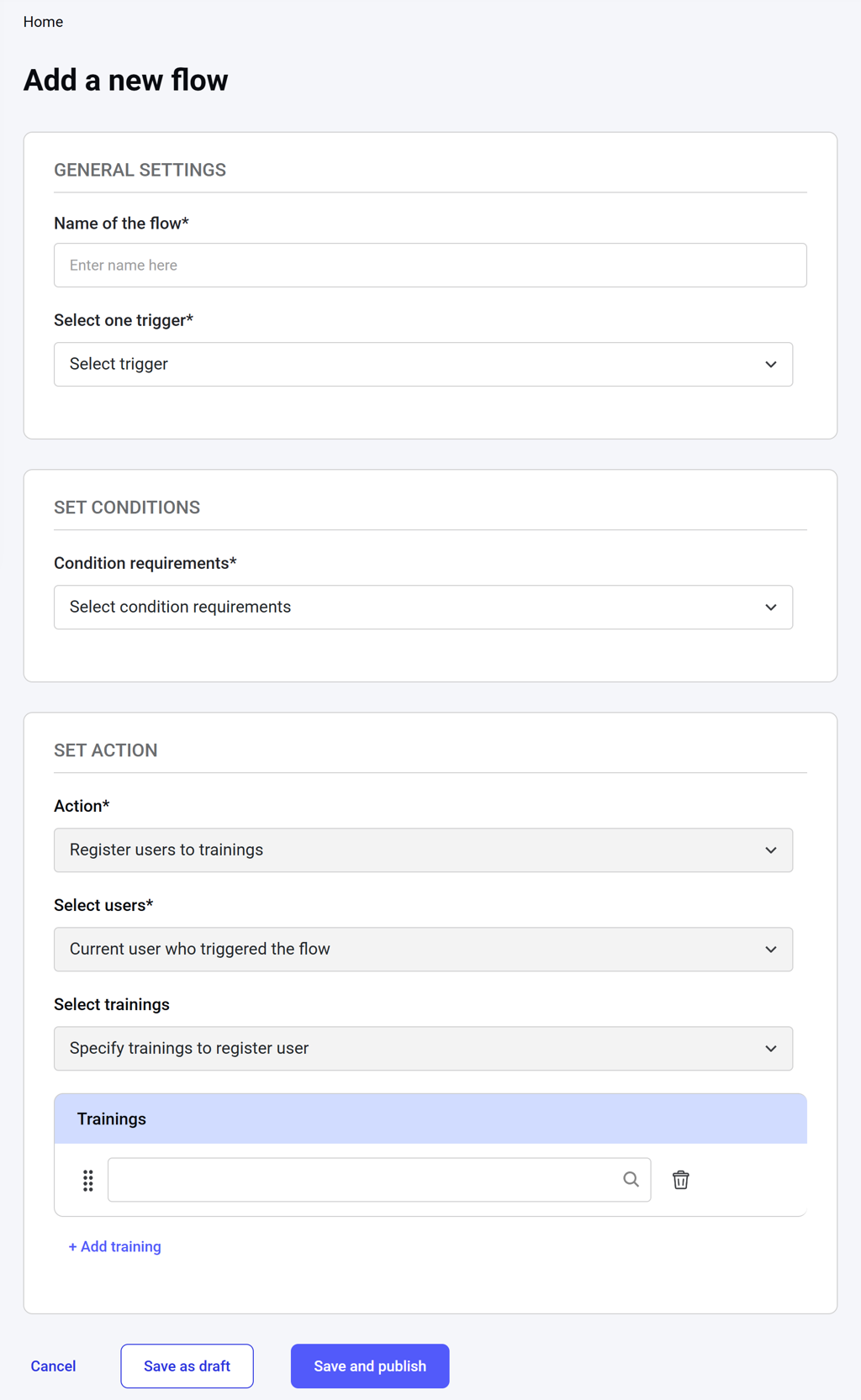
Triggers
There are four flow triggers available: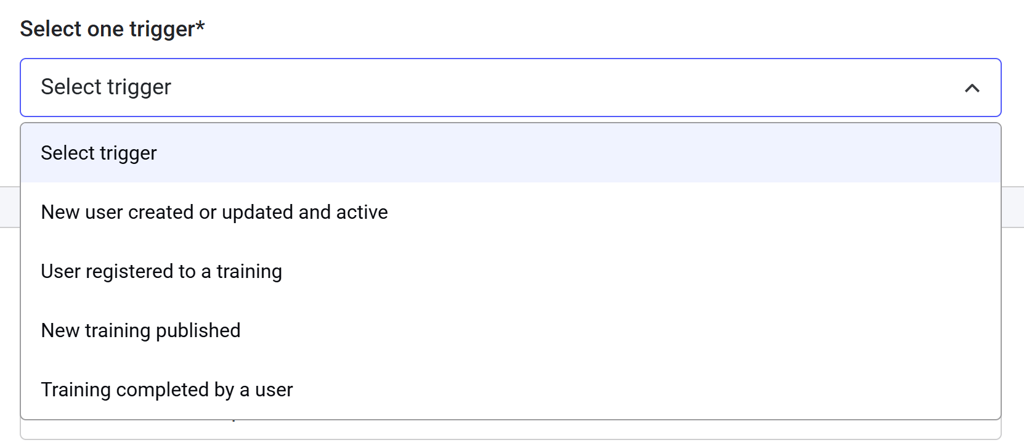
Conditions
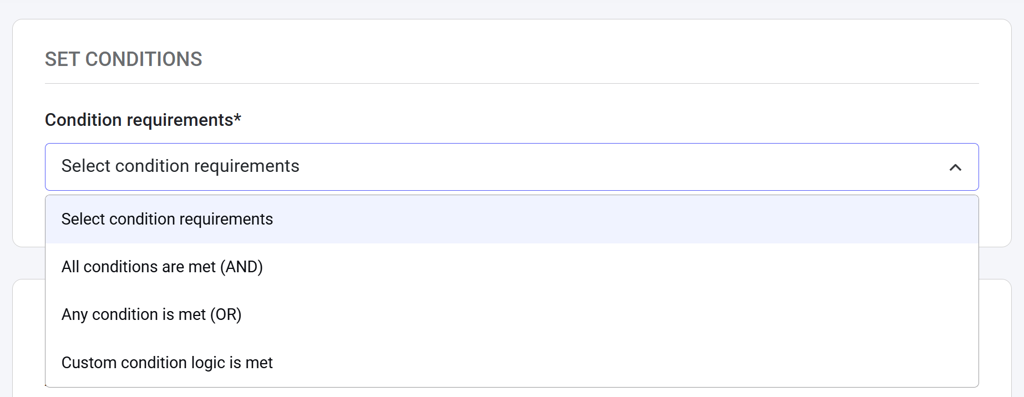
There are three rule options:- AND rule: All conditions are met.
- OR rule: Any condition is met.
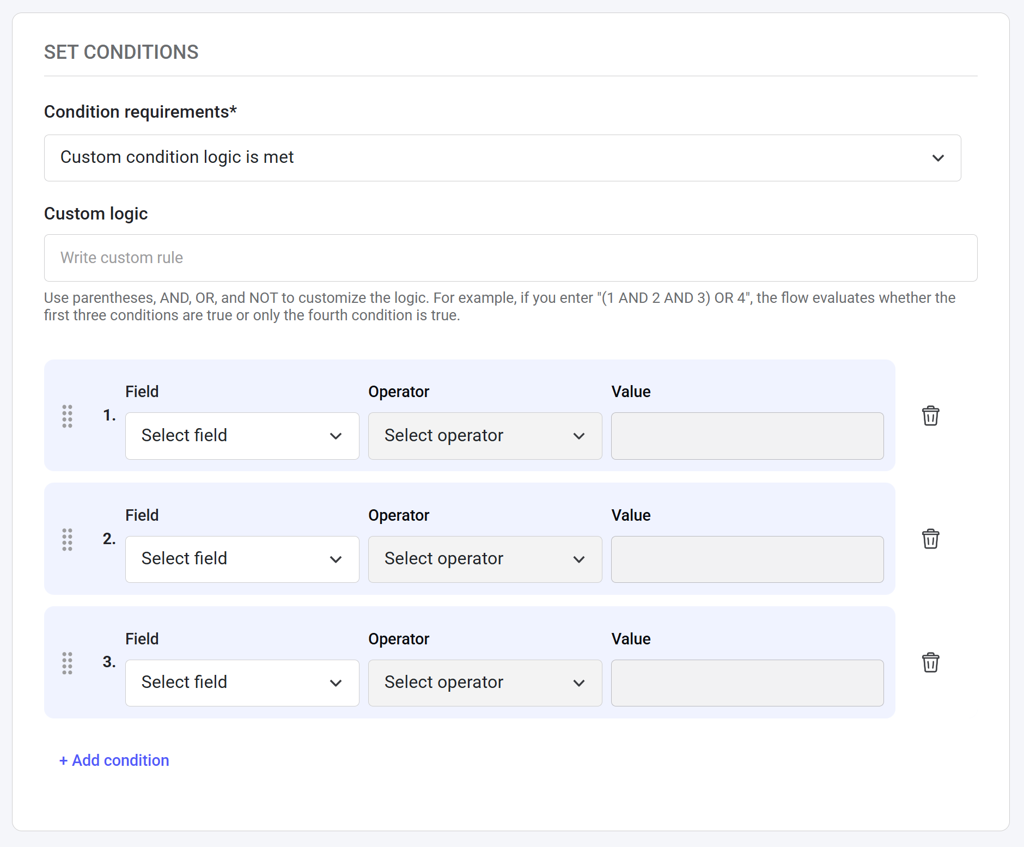
- Custom rule: You can set up a custom rule using AND, OR, and NOT operators. Each field is automatically assigned an ordinal number, which you can use in the formula to define the logic.
Editing a flow
Click Edit next to the respective item on the dashboard table to open the editing interface.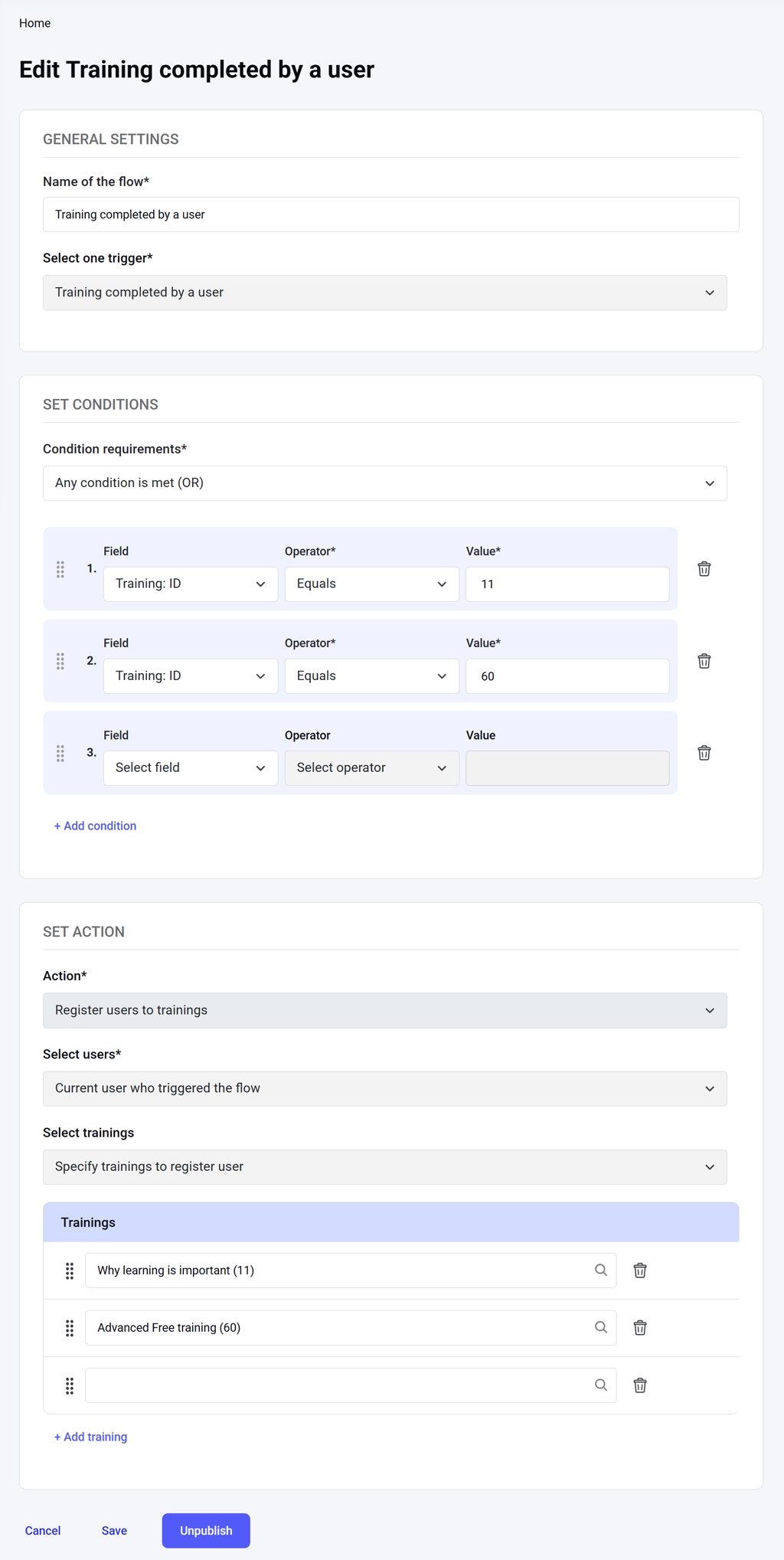
NOTE: When an existing flow is edited, a new unpublished revision is created. The revision can then be activated by publishing it.