Modules are self-contained units within a training comprised of a sequence of activities focused on a specific subtopic or skill. Modules serve as building blocks for trainings and are saved as separate entities, allowing them to be reused across multiple trainings. There are two types of modules:
  • Theory module: Delivers informational content through slides, images, videos, PDFs, or other resources and is not scored.
  • Quiz module: Evaluates learner knowledge with activities such as multiple-choice questions, true/false questions, or long-answer submissions and is scored (automatically or manually).
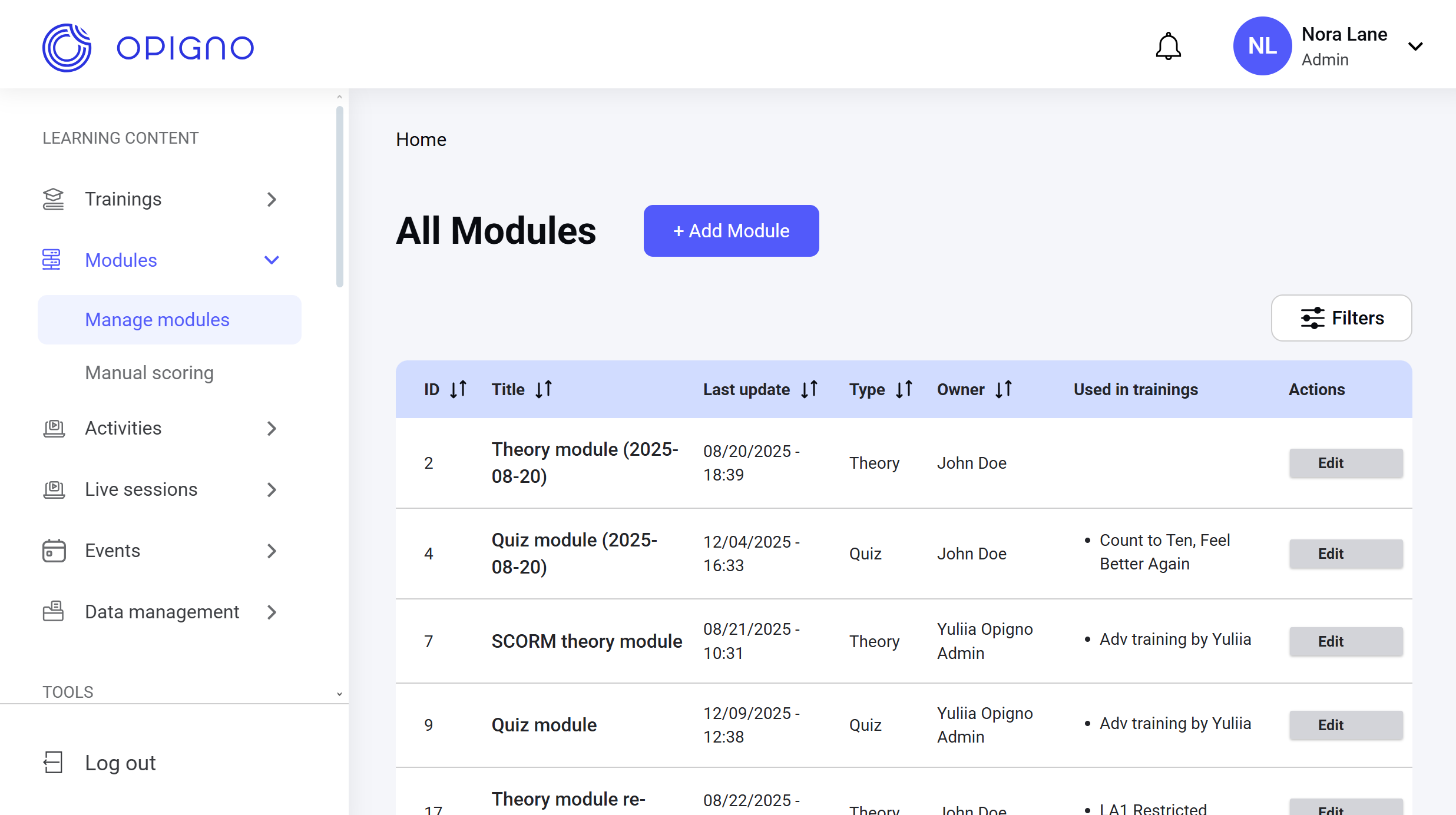
Modules can be grouped into topics for easier navigation. This grouping doesn’t affect scoring or progress calculation, but allows users to browse curated groups of related modules for a more organized learning experience. You can access all the modules from the Manage modules on the left menu. Image 2026 02 13 151853394 The dashboard table shows the list of all modules with the following attributes:
  • ID
  • Title
  • Last update: The time of the last modification of the module or its associated entity (activity).
  • Type: Theory or quiz.
  • Owner: The user who created the module.
  • Used in trainings: The trainings that include the given module. One module can be used in several trainings.
  • Actions: The Edit button that opens the module editing interface.
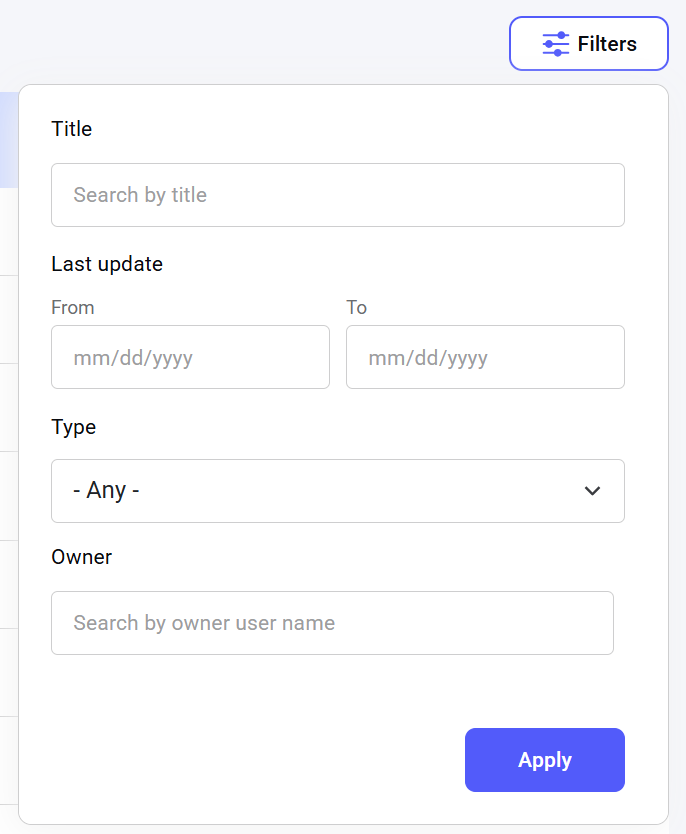
The table can be sorted by any of these attributes (except Used in trainings) individually to display the results in ascending or descending order. To do that, click on the name of the attribute. To quickly find a module, you can filter the list by several parameters: the module title, the date range of its latest update, the type, and the owner. Image 2026 02 13 152325324