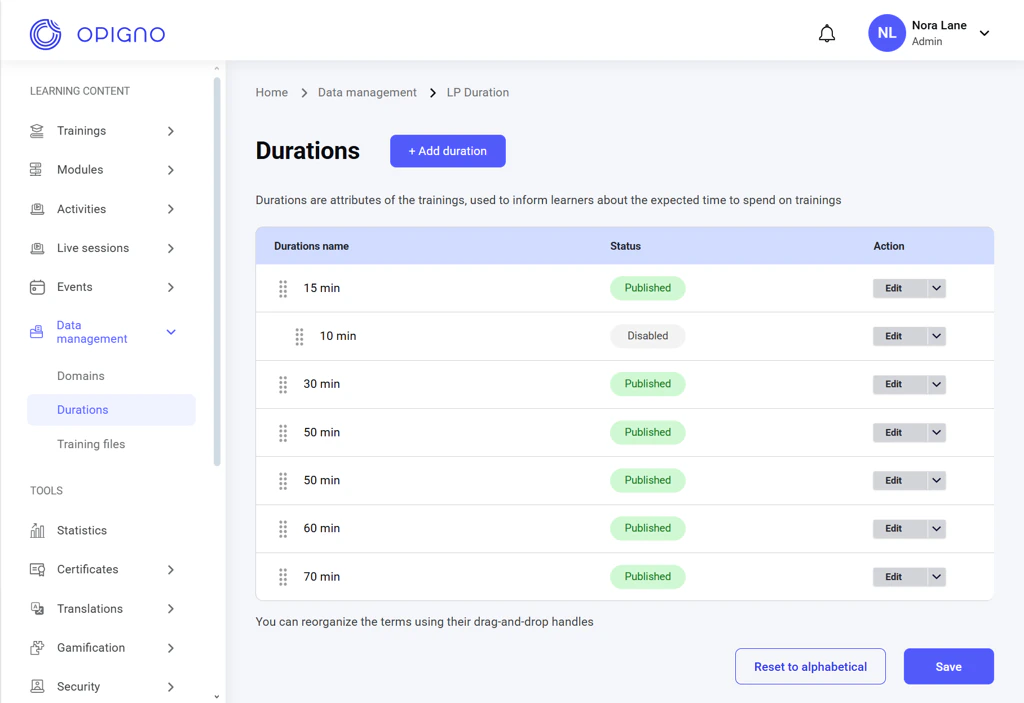
Durations are a taxonomy used to indicate the expected time required to complete a training. It is used to categorize learning content for easy filtering.To manage Durations, open the corresponding dashboard from the left-hand menu under Data management.
NOTE: Duration management is available only to administrators and content editors.
From this interface, you can create, edit, publish/disable, delete, group, and rearrange taxonomy terms:The dashboard table shows the list of all duration terms with the following attributes:
Duration name
Status (Published/Disabled)
Action (Edit/Publish/Disable buttons)
NOTE: The disabled term can’t be assigned to trainings, but it will still be displayed for a training to which it was previously assigned.
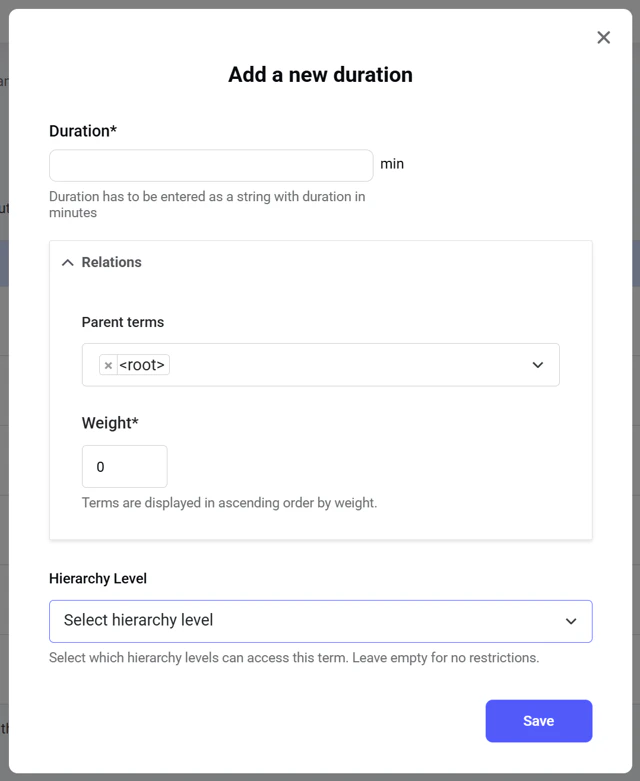
Click the Add duration button above the table to open a pop-up window where you can set up a new duration term:Enter only a numerical value in minutes into the Duration field.You can create groups of terms under a parent term. To add a term to a group, choose a parent term under the Relations setting and set up the weight for the term you create, which affects the display order of the terms in the group.Opigno’s Custom API enables restricting a term to a specific hierarchy level, so content managers only see the terms assigned to their hierarchy when creating trainings.
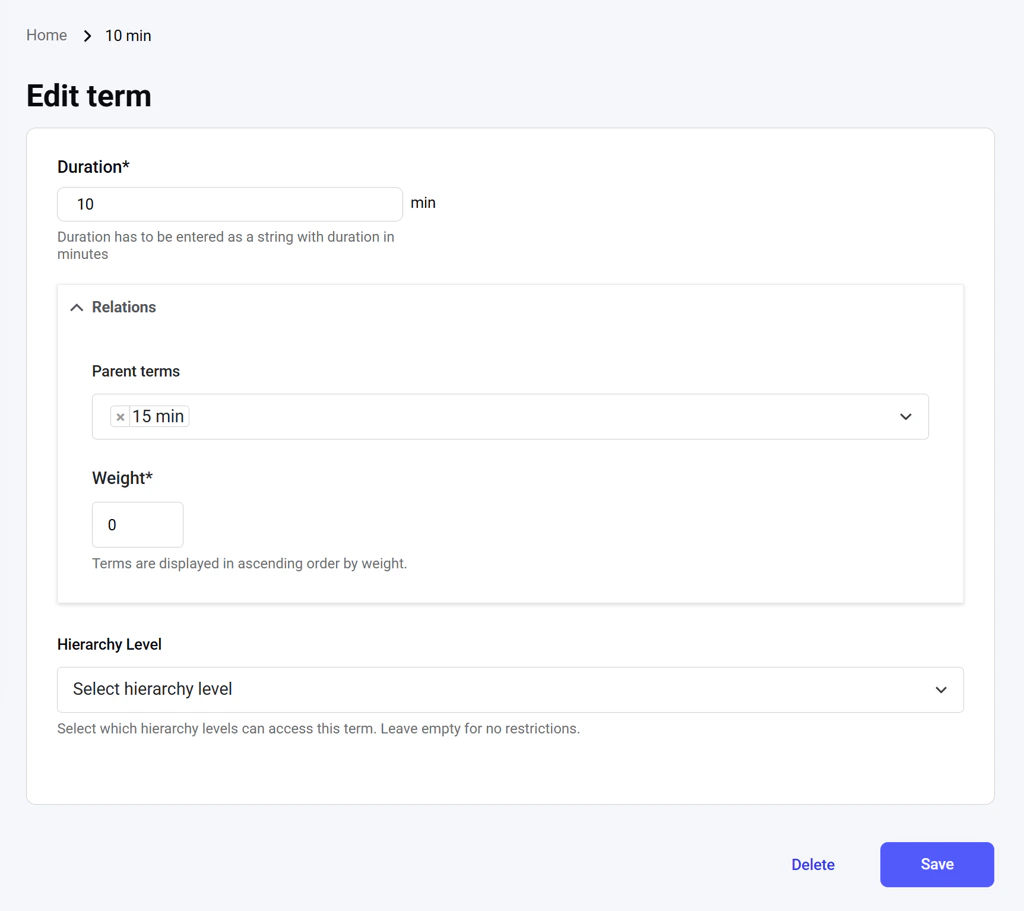
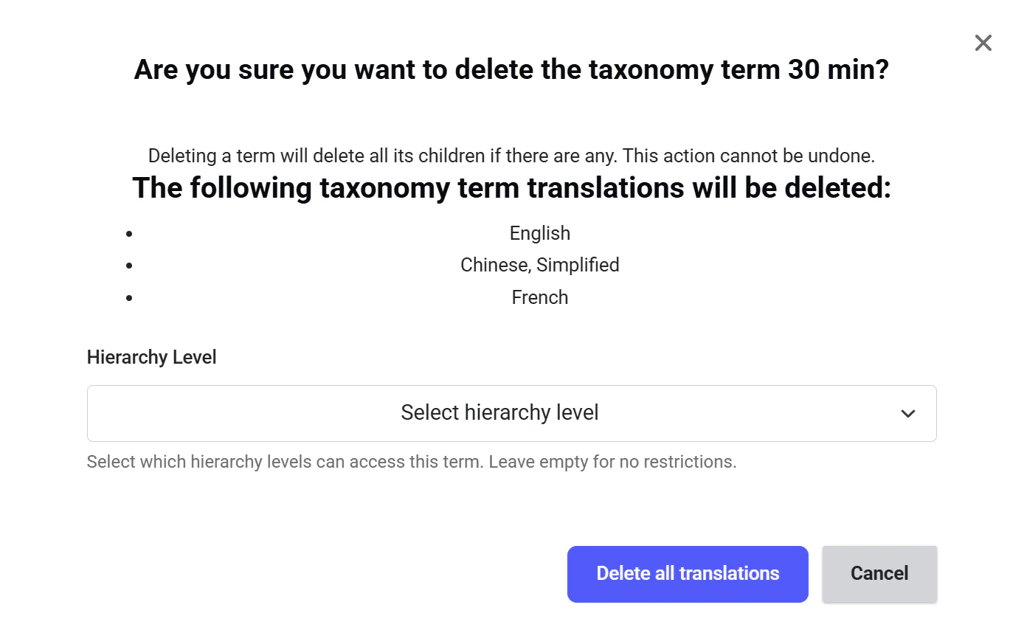
Click the Edit action button in the duration terms list to open a dedicated interface where you can change the term and its parameters or delete it.Deleting a term automatically deletes all its translations as child entities. The system will list all the affected term entities.You can also delete the duration term selectively from a specific hierarchy (Opigno Custom API is required).
Assistant
Responses are generated using AI and may contain mistakes.