> ## Documentation Index
> Fetch the complete documentation index at: https://docs.opigno.com/llms.txt
> Use this file to discover all available pages before exploring further.
# Webhooks
The Opigno Enterprise API allows external systems to receive platform event notifications via webhooks. This section explains how to configure webhooks for integrating the platform with external systems.
## Webhooks management
You can access the **Manage webhooks** dashboard via **Development** under the **Configuration** section of the left menu.
### The dashboard
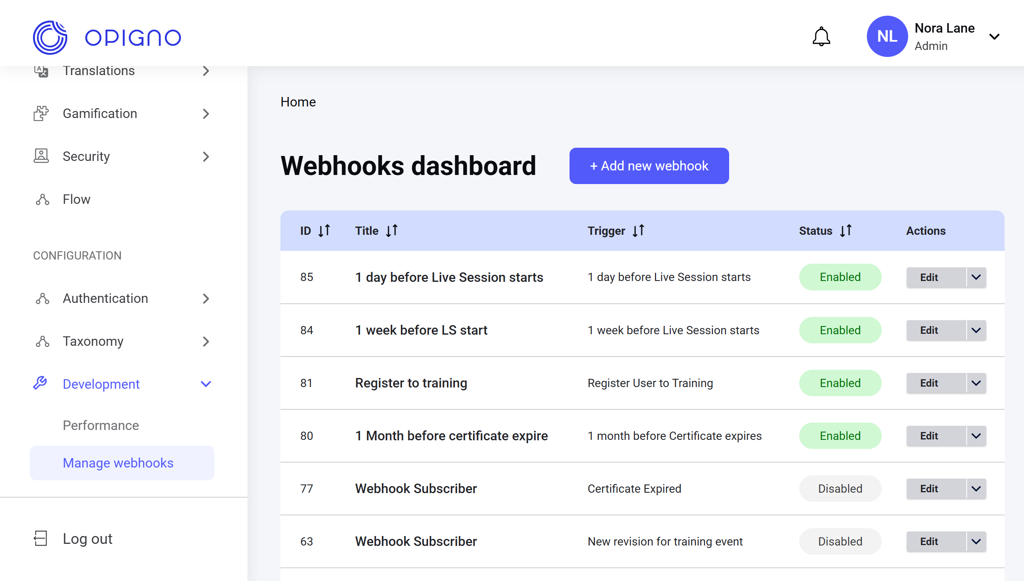 The dashboard table shows the list of all webhooks with the following attributes:
* **ID**
* **Title**
* **Trigger**: Event-based or scheduled conditions that send the webhook to the endpoint.
* **Status**: Enabled or Disabled.
* **Actions**: Edit, Enable, or Disable.
The dashboard table shows the list of all webhooks with the following attributes:
* **ID**
* **Title**
* **Trigger**: Event-based or scheduled conditions that send the webhook to the endpoint.
* **Status**: Enabled or Disabled.
* **Actions**: Edit, Enable, or Disable.
 You can sort the list by the webhook ID, title, trigger type, or status.
### Creating a new webhook
Click the **Add new webhook** button above the dashboard table to open the creation interface.
You can sort the list by the webhook ID, title, trigger type, or status.
### Creating a new webhook
Click the **Add new webhook** button above the dashboard table to open the creation interface.
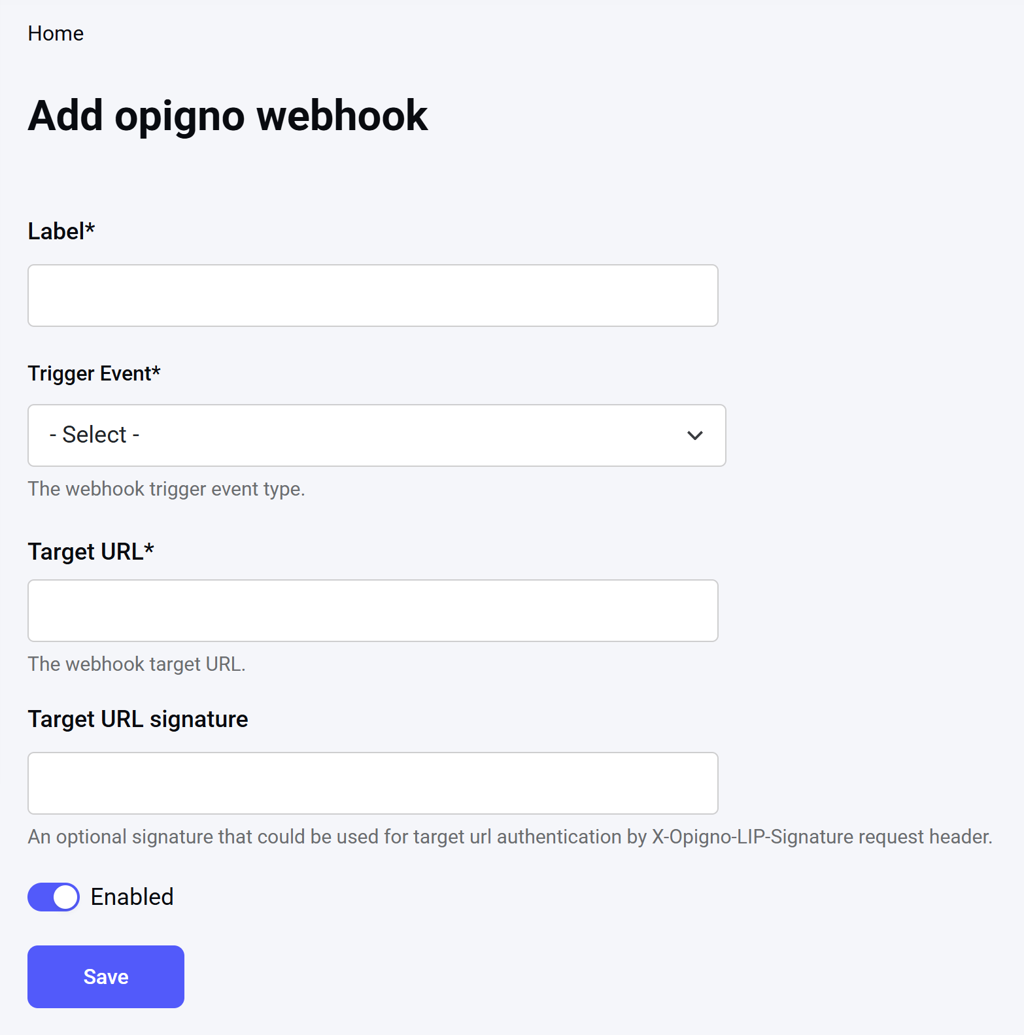 Here, you can enter the webhook title, target URL, optional request signature, and select the trigger event type. Several time-based and event-based triggers are available:
**Time-based triggers**
* 1 or 2 days/weeks before a live session starts
* 1 month before a certificate expires
**Event-based triggers**
* User registered for a training
* User started the training
* User completed the training
* User registered for a live session
* User attended the live session
* Certificate expired
* New training revision
See [Webhook Subscriptions API](https://docs.opigno.com/OpignoEnterpriseAPI/WebhooksAPI) and [Zapier Triggers](https://docs.opigno.com/zapier-integration/components/triggers#available-triggers) for more details.
To delete a webhook, click **Edit** next to the respective item on the dashboard table to open the editing interface, and click **Delete**.
Here, you can enter the webhook title, target URL, optional request signature, and select the trigger event type. Several time-based and event-based triggers are available:
**Time-based triggers**
* 1 or 2 days/weeks before a live session starts
* 1 month before a certificate expires
**Event-based triggers**
* User registered for a training
* User started the training
* User completed the training
* User registered for a live session
* User attended the live session
* Certificate expired
* New training revision
See [Webhook Subscriptions API](https://docs.opigno.com/OpignoEnterpriseAPI/WebhooksAPI) and [Zapier Triggers](https://docs.opigno.com/zapier-integration/components/triggers#available-triggers) for more details.
To delete a webhook, click **Edit** next to the respective item on the dashboard table to open the editing interface, and click **Delete**.