> ## Documentation Index
> Fetch the complete documentation index at: https://docs.opigno.com/llms.txt
> Use this file to discover all available pages before exploring further.
# Hierarchy and API access
Administrators can create and manage learner areas and their nested hierarchy levels, and configure external integrations (such as Zapier) scoped to specific hierarchy levels.
This section covers hierarchy management and the access tokens used for external integrations.
## Hierarchy management
You can access the **Manage hierarchy** dashboard from the left menu under **Configuration → Authentication**.
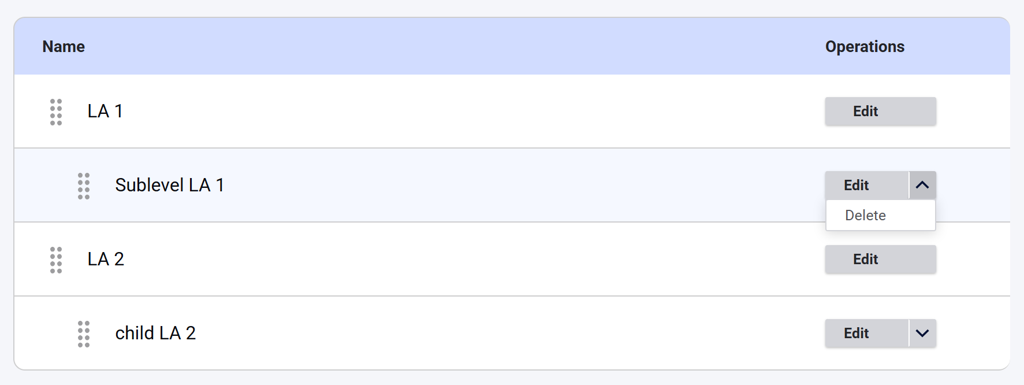
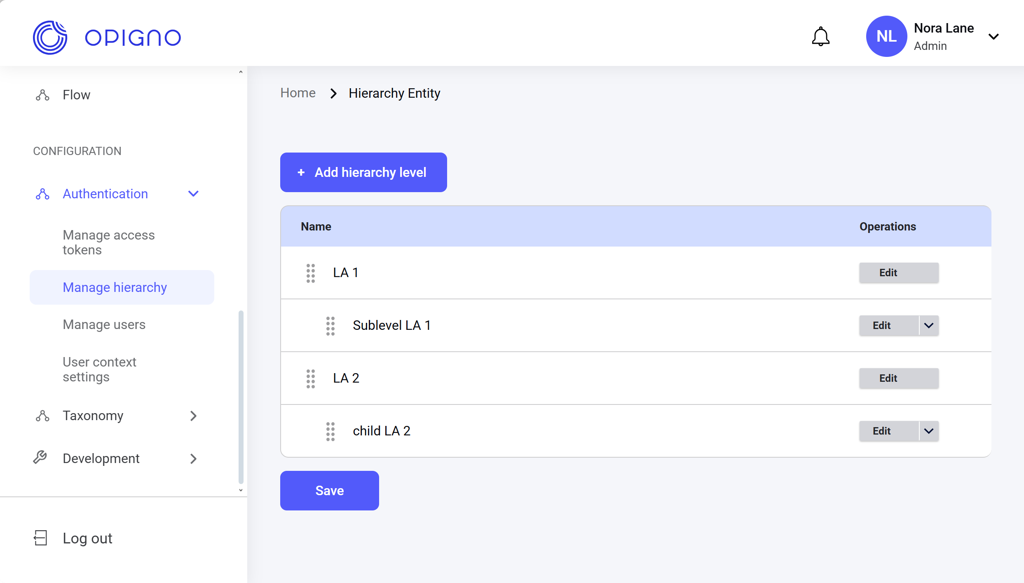 The dashboard shows all the learner areas and their nested levels. You can rearrange the hierarchy levels, edit them, and delete nested levels.
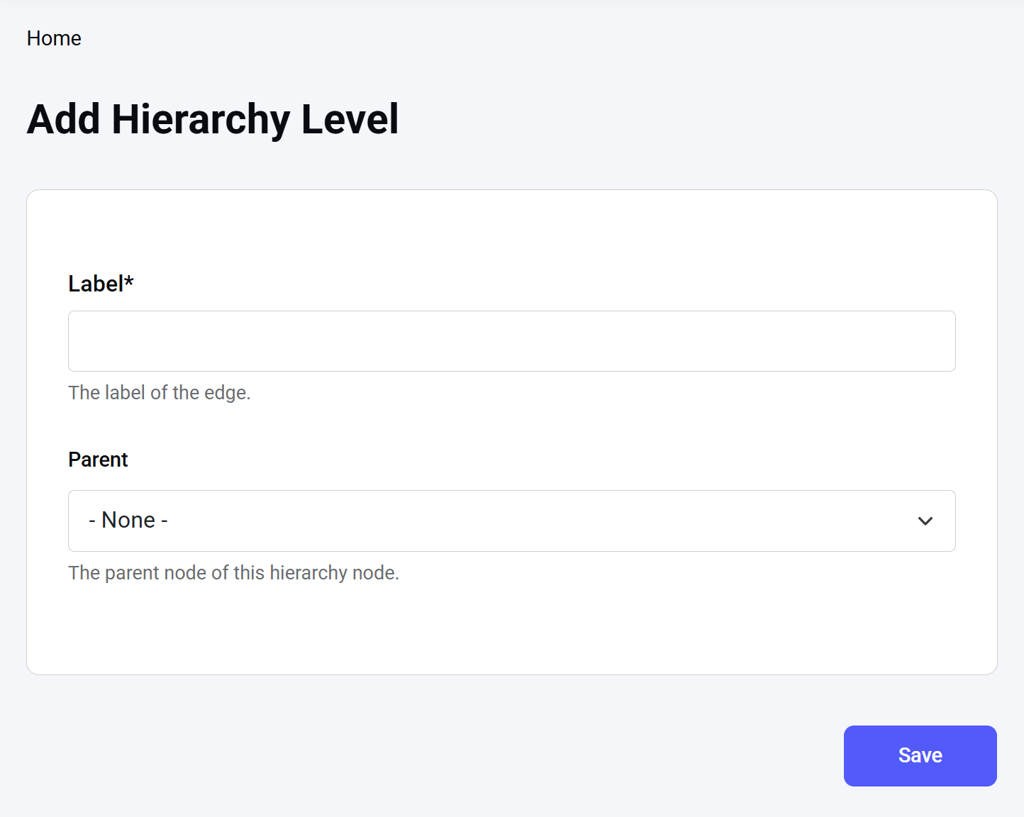
 Click **Add hierarchy level** to open the creation interface, where you can enter the hierarchy name and specify the parent level if necessary.
 See [Learning Areas & Hierarchy](https://docs.opigno.com/hierarchy-management/understanding-learning-areas) for more details.
## Access token management
You can access the **Manage access tokens** dashboard from the left menu under **Configuration → Authentication**.
See [Learning Areas & Hierarchy](https://docs.opigno.com/hierarchy-management/understanding-learning-areas) for more details.
## Access token management
You can access the **Manage access tokens** dashboard from the left menu under **Configuration → Authentication**.
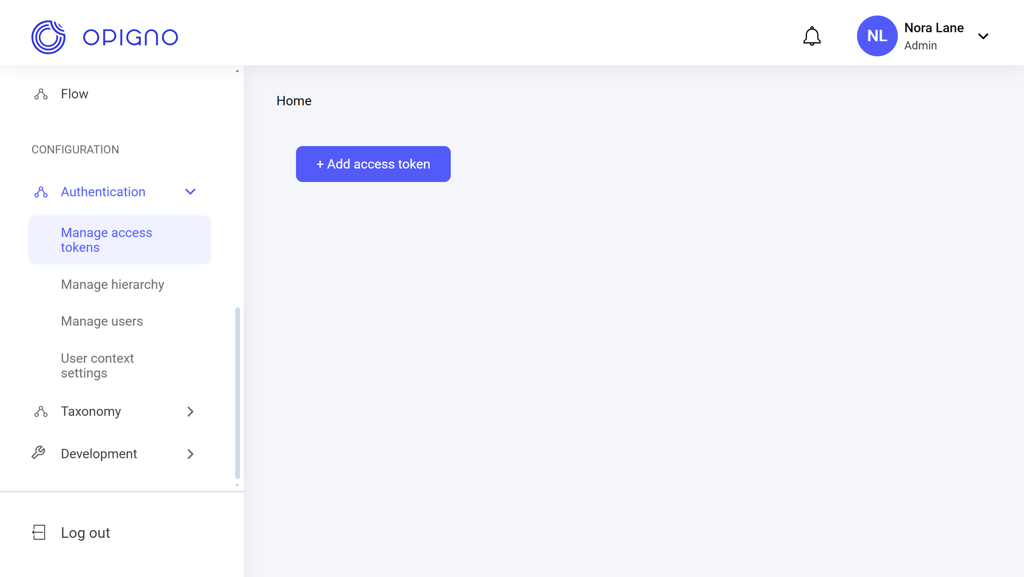 Click **Add access token** to open the creation interface, where you can generate the token and assign it to a learner area.
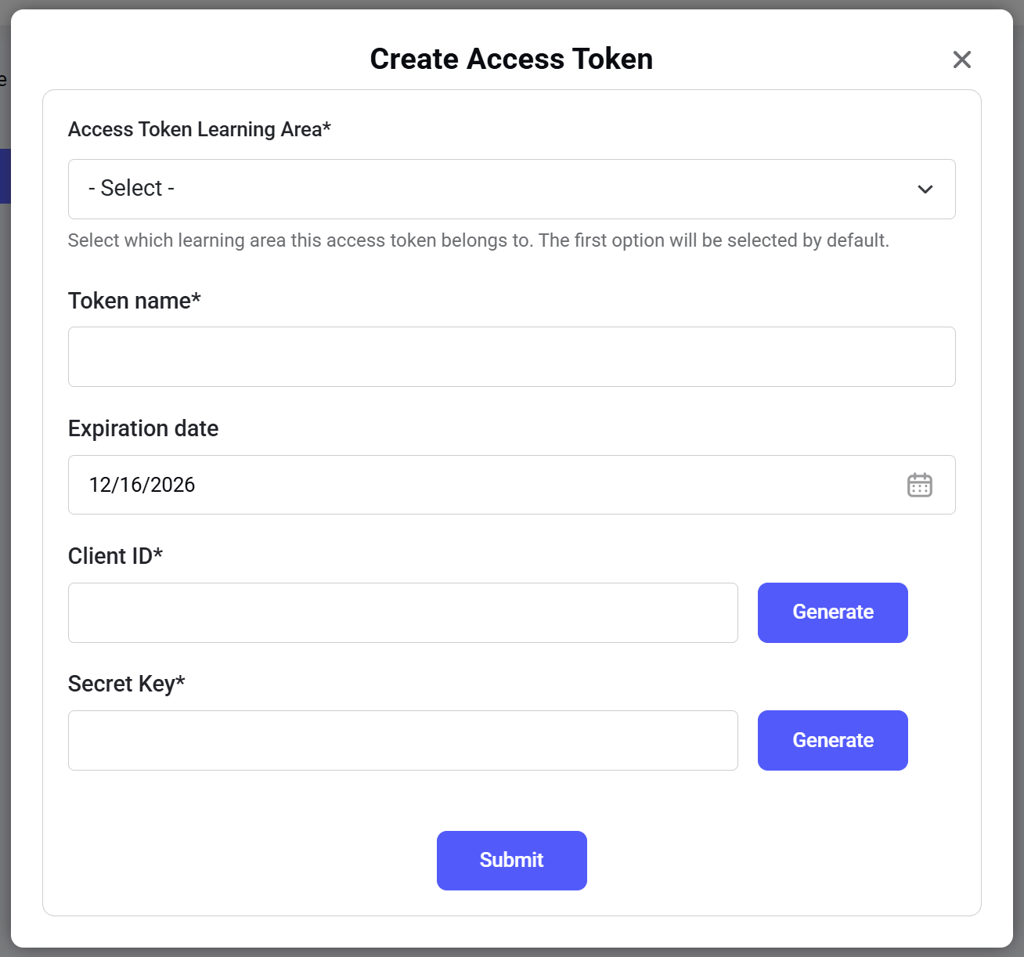 See [Access Token Management](https://docs.opigno.com/zapier-integration/token-generation) for more details.