> ## Documentation Index
> Fetch the complete documentation index at: https://docs.opigno.com/llms.txt
> Use this file to discover all available pages before exploring further.
# Learning Path Navigation
# **🧭 Learning Path Navigation**
The `navigation` field of the `learningPath` object provides a flexible entry point for retrieving navigation-related data within a Learning Path.\
This field accepts several optional arguments, allowing the API to adapt to different navigation scenarios based on context and interaction mode.
## **Navigation Query Arguments**
| Argument | Type | Description | Default |
| :------------------- | :--------------- | :------------------------------------------------------------------------------------------------------------------------------------------- | :-------------------- |
| `navigationType` | `NavigationType` | Defines the scope of navigation. It determines which parts of the Learning Path structure are included. | `TRAINING_NAVIGATION` |
| `navigationMode` | `NavigationMode` | Determines how the user is interacting with the content — for example, whether they are taking or reviewing steps. | `TAKE` |
| `currentStepEdgeRid` | `ID` | Optional in most cases, but required for `STEP_NAVIGATION`. If provided, it helps tailor the navigation data to the user's current position. | — |
All arguments are optional and designed to work together to support various navigation use cases in a single, unified entry point. However, some limitations do apply — please refer to the description of the navigation field in the API schema for details on usage constraints and compatibility between arguments.
## **📚 Navigation Types**
The `NavigationType` enum defines the overall structure of the navigation response. Each type targets a different use case:
| NavigationType | Description |
| :-------------------- | :--------------------------------------------------------------------------------------------------------------------------------------------- |
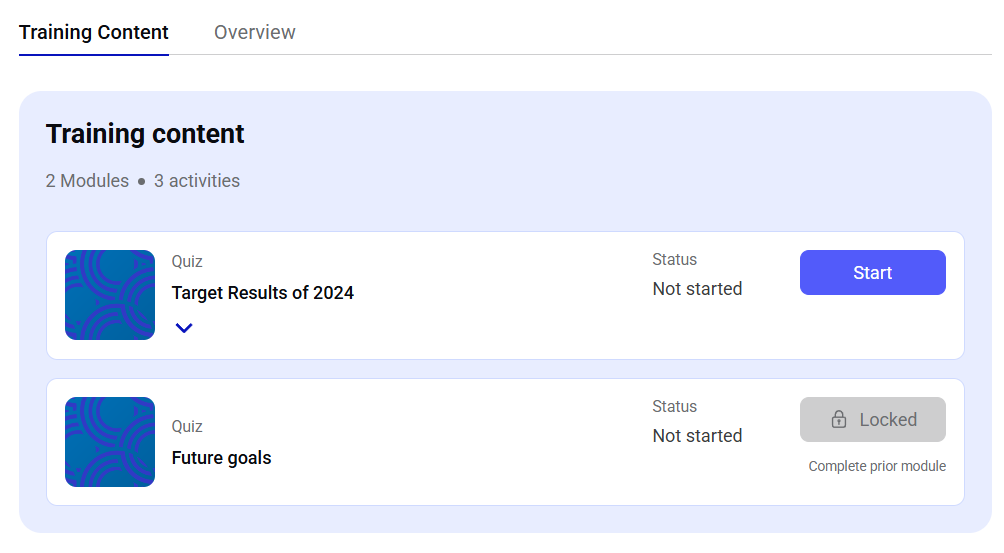
| `TRAINING_NAVIGATION` | Focuses on module-level navigation within the current training. This is best used to render high-level overviews of a training structure. |
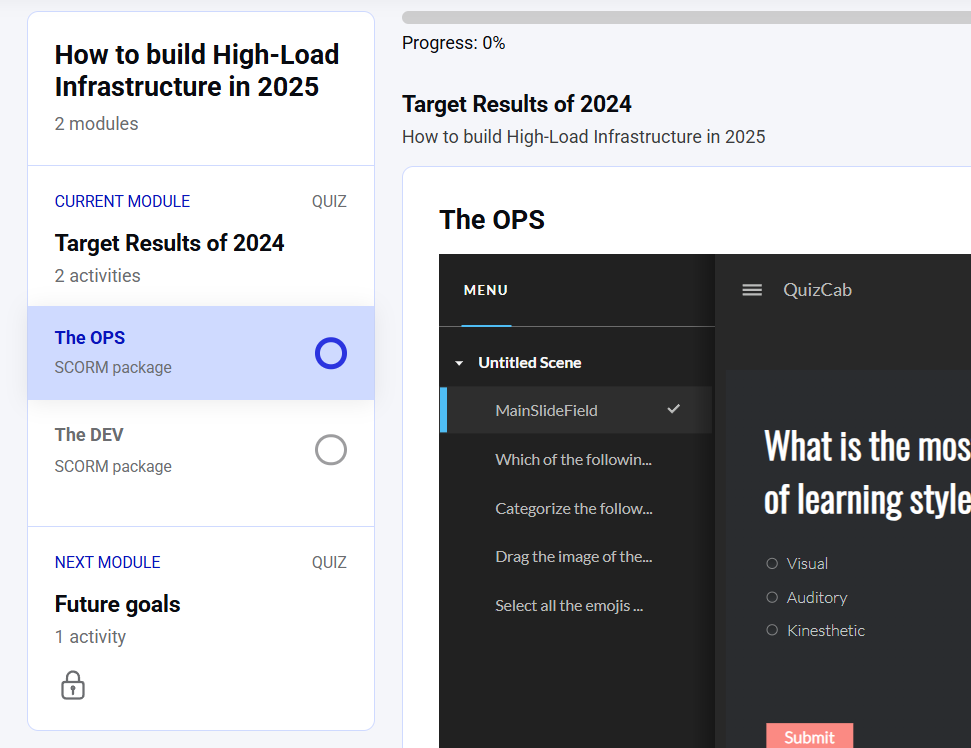
| `STEP_NAVIGATION` | Designed for in-depth progression tracking within a module. It includes current activities and references to upcoming modules. |
| `FULL_NAVIGATION` | Returns the complete navigation tree for the entire Learning Path. Useful for dashboards or detailed overviews of user progress and structure. |
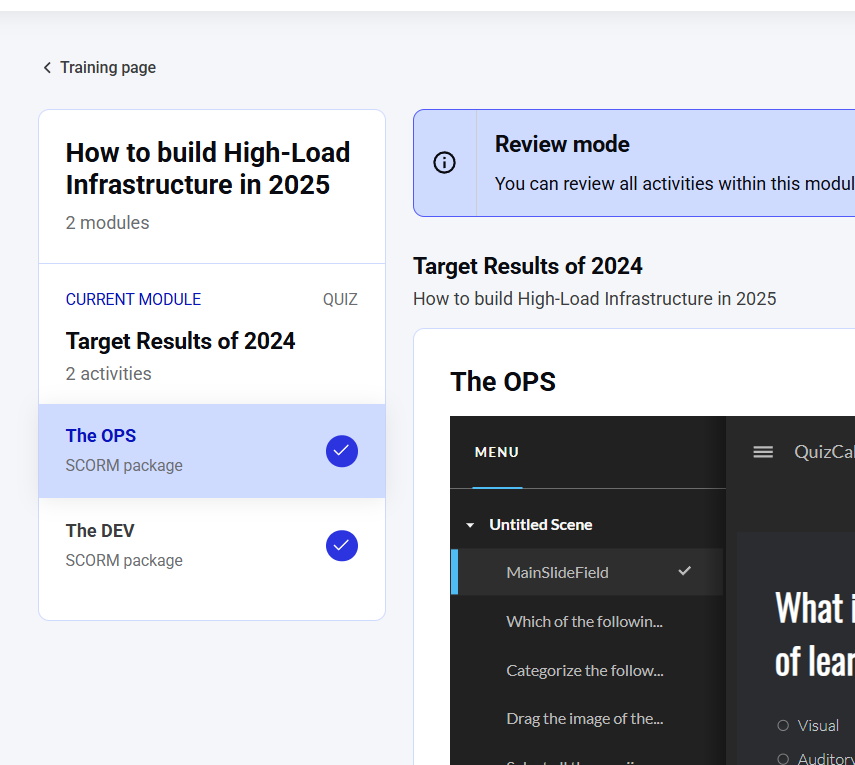
`STEP_NAVIGATION` requires the `currentStepEdgeRid` argument and is the only mode that supports REVIEW navigation mode.
## **🧭 Navigation Modes**
The `NavigationMode` enum defines **how the user is interacting** with the Learning Path content. It influences what kind of navigation data is returned and how the system interprets user intent.
| NavigationMode | Description |
| :------------- | :------------------------------------------------------------------------------------------------------- |
| `TAKE` | The user is actively engaging with the content — progressing through modules and activities. |
| `REVIEW` | The user is revisiting previously completed content. This mode is only supported with `STEP_NAVIGATION`. |
Here are examples of different navigation implementations, as demonstrated in our learner area.
 ## **🧩 Reconstructing Hierarchical Relationships**
Due to limitations in how GraphQL handles recursive structures, the `navigation` field returns all `NavigationItem` objects as **flat array entries**. This means hierarchical relationships (such as `Training → Module → Activity`) are not nested in the API response.
To reconstruct this structure on the client side, each `NavigationItem` includes a `navigationPath` field. This field provides the hierarchical relationship of each item in the form of a colon-separated list of `edgeId` values, representing the item's path through the Learning Path.
Here is an example of the `getLearningPath` query using `navigationType: FULL_NAVIGATION`:
```GraphQL GraphQL theme={null}
query getLearningPath {
getLearningPath(lpId: 40) {
navigation(navigationType: FULL_NAVIGATION) {
edgeId
edgeRid
title
description
contentType
navigationPath
locked
lockReasons
learningContentType
}
}
}
```
```Query Query result [expandable] theme={null}
{
"data": {
"getLearningPath": {
"navigation": [
{
"edgeId": "116",
"edgeRid": "488",
"title": "Target Results of 2024",
"description": "
## **🧩 Reconstructing Hierarchical Relationships**
Due to limitations in how GraphQL handles recursive structures, the `navigation` field returns all `NavigationItem` objects as **flat array entries**. This means hierarchical relationships (such as `Training → Module → Activity`) are not nested in the API response.
To reconstruct this structure on the client side, each `NavigationItem` includes a `navigationPath` field. This field provides the hierarchical relationship of each item in the form of a colon-separated list of `edgeId` values, representing the item's path through the Learning Path.
Here is an example of the `getLearningPath` query using `navigationType: FULL_NAVIGATION`:
```GraphQL GraphQL theme={null}
query getLearningPath {
getLearningPath(lpId: 40) {
navigation(navigationType: FULL_NAVIGATION) {
edgeId
edgeRid
title
description
contentType
navigationPath
locked
lockReasons
learningContentType
}
}
}
```
```Query Query result [expandable] theme={null}
{
"data": {
"getLearningPath": {
"navigation": [
{
"edgeId": "116",
"edgeRid": "488",
"title": "Target Results of 2024",
"description": "Distinctively leverage other's viral initiatives and open-source deliverables. Globally morph ubiquitous vortals vis-a-vis go forward leadership. Quickly synthesize focused \"outside the box\" thinking via resource-leveling communities. Quickly synergize team building expertise with pandemic action items. Distinctively engage team building expertise.
",
"contentType": "MODULE",
"navigationPath": null,
"locked": true,
"lockReasons": [],
"learningContentType": "QUIZ"
},
{
"edgeId": "117",
"edgeRid": "481",
"title": "The OPS",
"description": null,
"contentType": "ACTIVITY",
"navigationPath": "116:117",
"locked": true,
"lockReasons": [],
"learningContentType": "QUIZ"
},
{
"edgeId": "118",
"edgeRid": "482",
"title": "The DEV",
"description": null,
"contentType": "ACTIVITY",
"navigationPath": "116:118",
"locked": true,
"lockReasons": [],
"learningContentType": "QUIZ"
},
{
"edgeId": "119",
"edgeRid": "485",
"title": "Future goals",
"description": null,
"contentType": "MODULE",
"navigationPath": null,
"locked": true,
"lockReasons": [
"Complete prior module"
],
"learningContentType": "QUIZ"
},
{
"edgeId": "120",
"edgeRid": "486",
"title": "Best practices",
"description": null,
"contentType": "ACTIVITY",
"navigationPath": "119:120",
"locked": true,
"lockReasons": [],
"learningContentType": "QUIZ"
}
]
}
}
}
```
Please find below an explanation of the `navigationPath` field structure, which allows you to reconstruct parent-child relationships between navigation items:
| Example Value | Meaning |
| :------------ | :--------------------------------------------------------------------------------------- |
| `116:117` | The current item (`edgeId = 117`) is a child of the item with `edgeId = 116`. |
| `116` | The item is at a top level (e.g. a module or training), with no parent in the structure. |
In this format:
* The **last value** always represents the current item's `edgeId`.
* The **preceding values** reflect the item's parent hierarchy.
Using this structure, you can rebuild the full nested view of the Learning Path on the client side.